Free
2 hours of recording a day
- Live transcription
- AI summaries
- AI chat during the call
- MCP for your AI tools
- Automatic Zoom, Teams and Google Meet detection
On-device transcription
Meeting Mind records your calls from the Mac menu bar. No bot joins the call, your audio stays on your Mac, and you pick the AI: a local model or your own cloud key.

Free for 2 hours a day.
Requires macOS 26 or later.
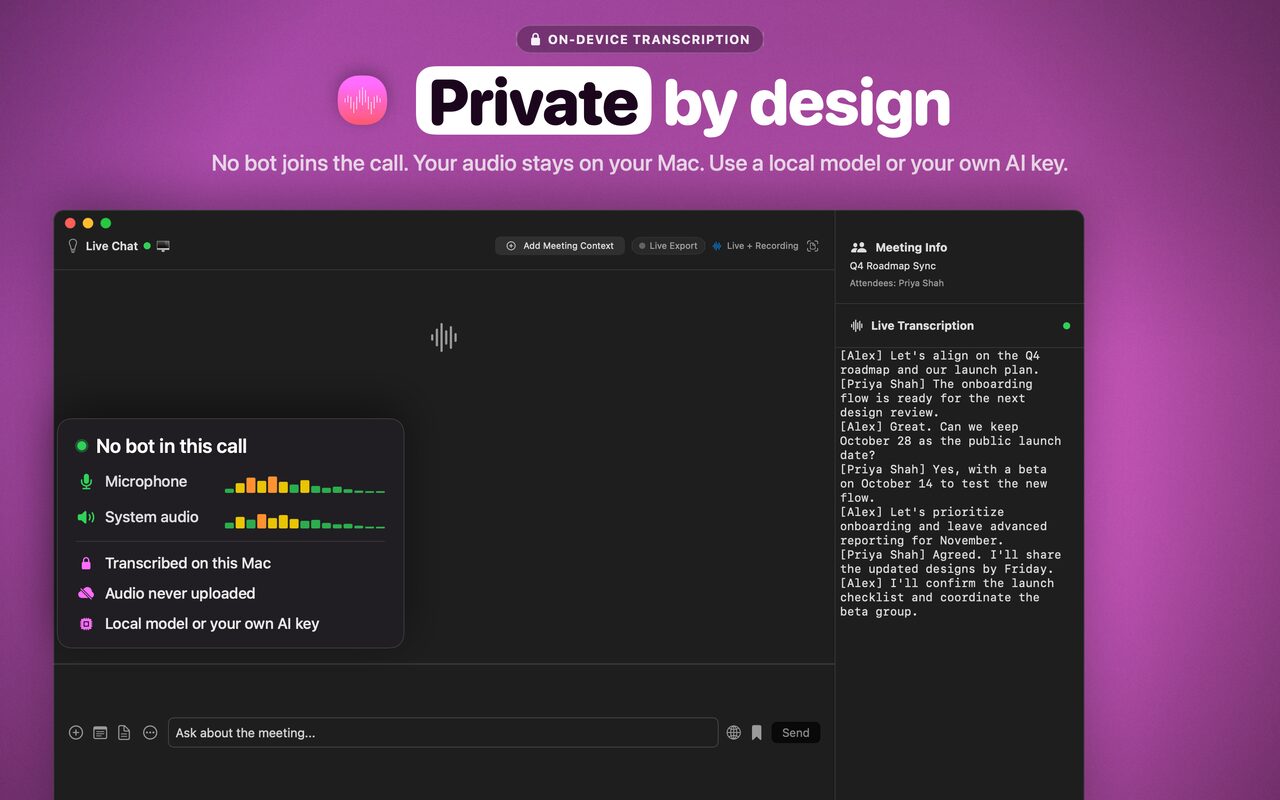
Meeting Mind records your microphone and your Mac's system audio. Nothing joins the meeting, and there's no audio driver to install.
Transcription runs on your Mac. Recordings are saved to a folder you choose and are never uploaded.
Summaries and chat use a local model through Ollama or LM Studio, or your own OpenAI, Anthropic or OpenRouter key.
Starts on its own for Zoom, Microsoft Teams and Google Meet. Webex and other meeting links in your calendar are picked up with Unlimited. You can also start a recording yourself for any other call app.
Read the transcript as you talk, with your name and the other person's, transcribed right on your Mac.
![Live transcript. Real names. The live chat window with three panes: Live Insights cards on the left, the chat in the middle, and the Live Transcription panel on the right, where each line starts with the speaker's name, such as [Alex] and [Priya Shah].](img/tour/02-live-transcript-1280.jpg)
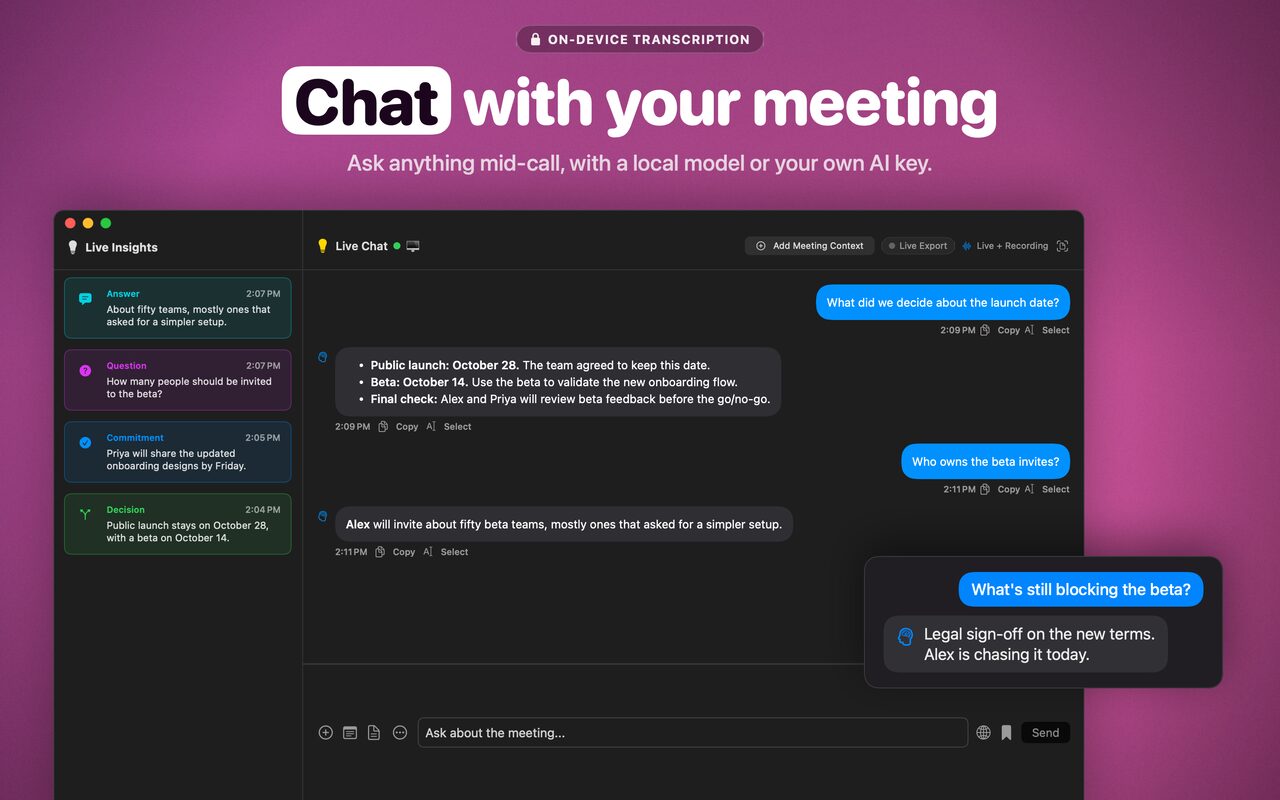
Ask anything while the call is still going. Add documents or screenshots for context.
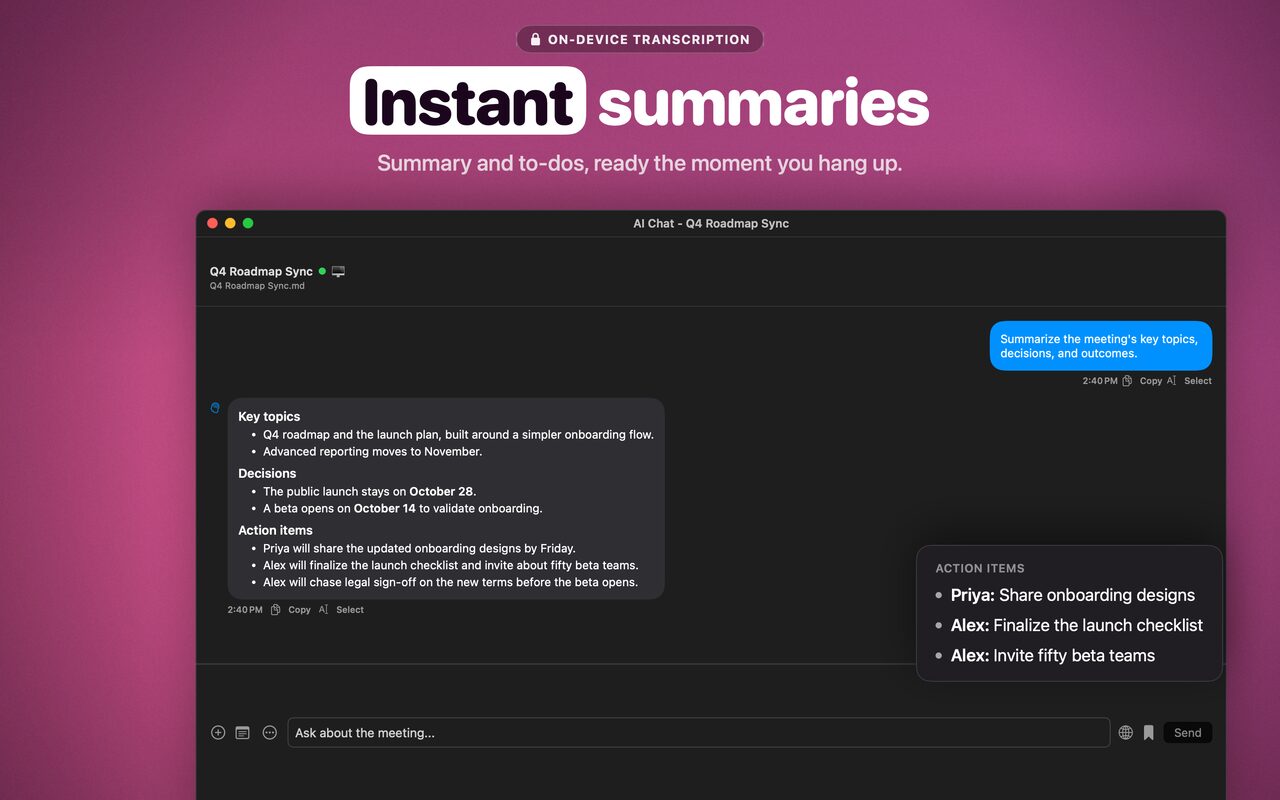
When the call ends you get a Markdown note with a summary, decisions, action items and, if you want, the full transcript.
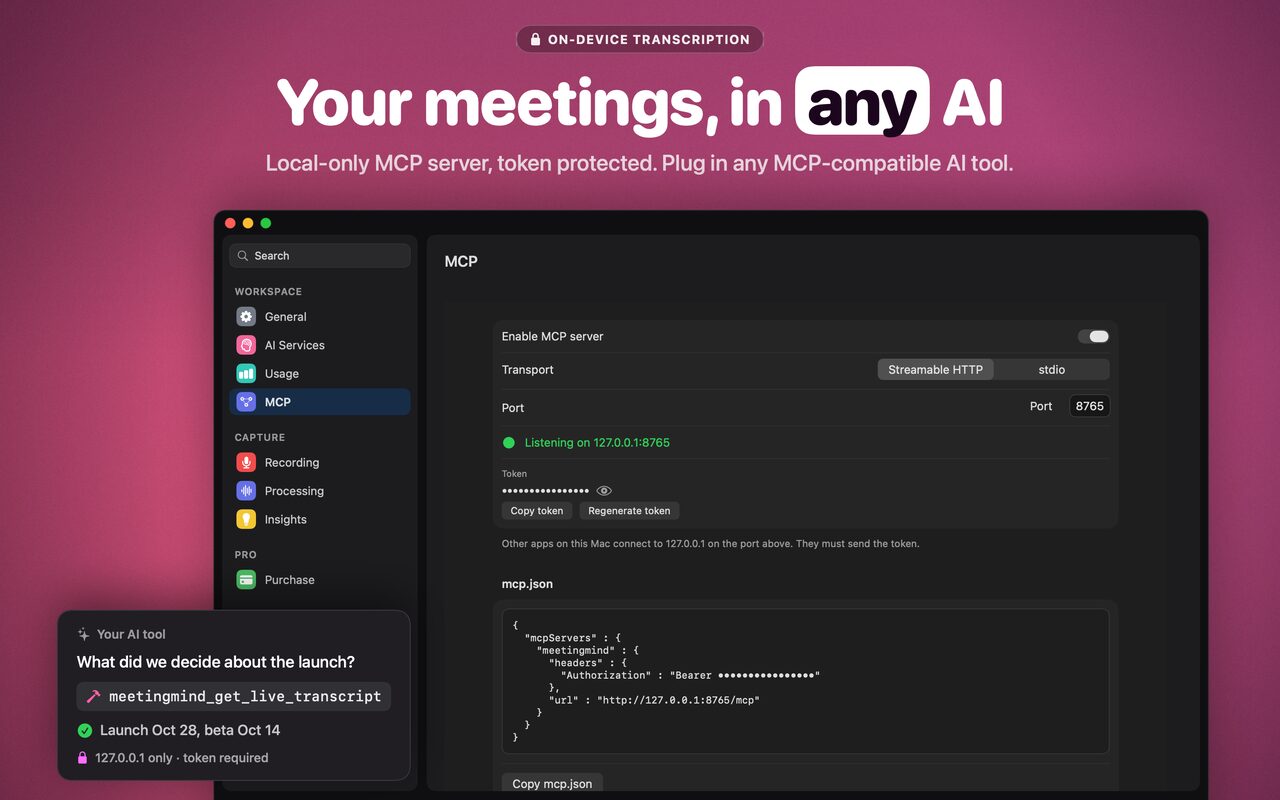
Turn on Settings > MCP and apps on your Mac that support the Model Context Protocol can read your live transcript, the meeting in progress and your Meeting Mind AI chat.
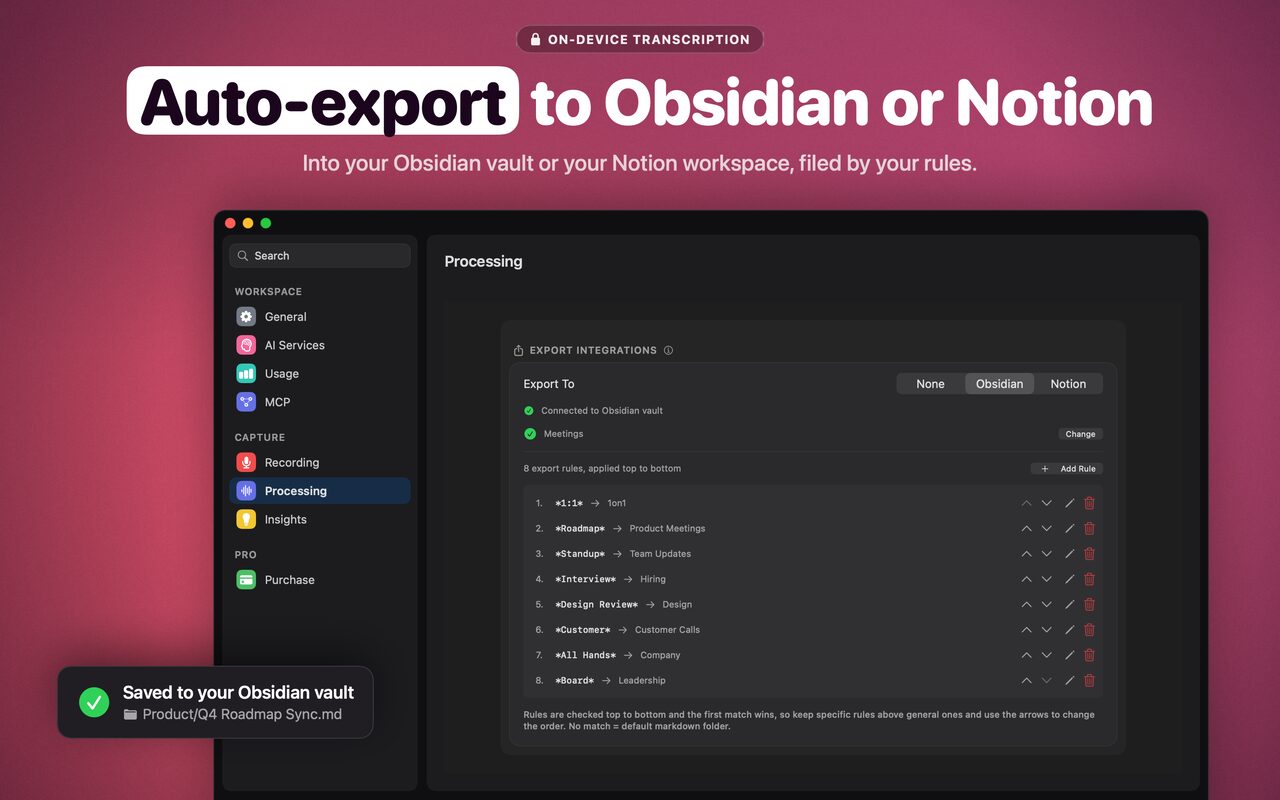
Every note is a Markdown file with frontmatter and a speaker-labeled transcript. Export rules send each one to your Obsidian vault or your Notion workspace, based on the meeting title. Unlimited
Start free. Unlock Unlimited once, with no subscription.
2 hours of recording a day
One-time in-app purchase, not a subscription
See the Mac App Store for the price in your region.

No bot in the call. Notes on your Mac when it ends.
Free for 2 hours a day. Requires macOS 26 or later.